• Log In
  • Skip to primary navigation
  • Skip to main content
  • Skip to primary sidebar

PRO Community Platform

  • Home
  • Get Started
  • Earn
    • PRO points calendar
    • Points Table
    • Point earning examples
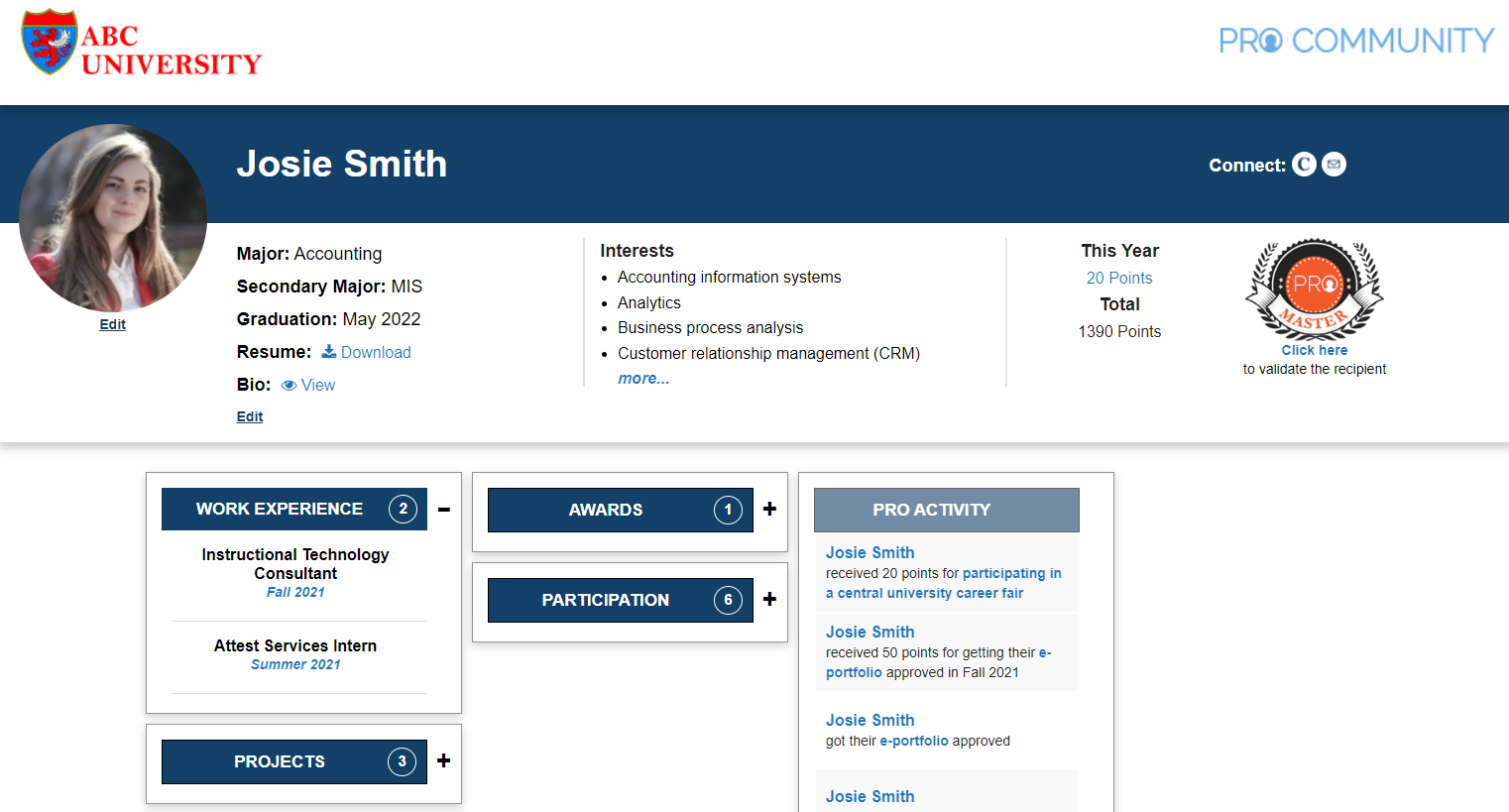
      • Josie Smith, freshman
      • Mary Jones, transfer
    • Request Points
  • Track
    • PRO Dashboard
    • Badges
  • FAQ
  • Help

pro_admin

Full-time job offer

pro_admin · December 26, 2017 ·

Congratulations on receiving a job offer! We are proud of your accomplishment. Earn PRO points for reporting the full-time job offer.

To request PRO points for receiving your full-time job offer you will need:

  1. Official job title (e.g., Analyst)
  2. Name of the organization where you will be working (e.g., QVC)
  3. Job date: The job start date
  4. Job description paragraph (all three items below are required). Note: once approved, the job description is automatically displayed in a post on your e-portfolio.
    1. Information about the organization (e.g., type, size, location, specific division/department in which you will be employed)
    2. Job function (e.g., overall role, assigned tasks)
    3. How the job relates to your major (describe how you will apply course work to the job or which course(s) helped you get this job).
  5. Supporting documentation: A PDF file that includes (a) the offer letter on official letterhead OR (b) an email from the responsible person at the organization. The offer letter or email must include job title, salary, and the responsible person’s title and contact information.
    Note: We keep all salary information confidential. Salaries are only reported as averages across graduating seniors.


Requirements Full-time, Job, PRO Points

Work experience

pro_admin · December 26, 2017 ·

Earn PRO points for internships that provide valuable work experience. PRO points are only awarded for paid internships that directly relate to your major and course work.

Type Description
Full-time major-specific
internship
Highly recommended for all students. Typically a summer internship working for an organization on tasks that relate to your major. This is the best way to prepare for the workplace and improve career prospects.
Short-term full-time major-specific
internship
Typically a shorter internship in the summer working for an organization on tasks that relate to your major.
Part-time major-specific
internship
Typically a part-time job during the academic term working for an organization on tasks that relate to your major.
Major-specific work experience
on campus
Typically an on-campus job working for a department or program on tasks that relate to your major.
Student worker in department On-campus job working for your department as an student worker.
Peer Teacher On-campus job working for the department as a Peer teacher.

Requirements

  1. You can only earn PRO points once for a single internship at a single organization, i.e., multiple internships at the same organization cannot be stacked even if they are of a different type.
  2. Points can only be requested after you have completed the internship/work experience or completed the specified time period, i.e., if you are claiming a 15 week internship, then you can only request points after the 15 weeks are complete.
  3. You can only earn PRO points for one semester of student work.
  4. You can only earn PRO points for one semester of  Peer Teacher work.
  5. For minimum time periods, point values, and other requirements, review the points table.

To request PRO points for an internship you will need:

  1. Official job title
  2. Name of the organization where you worked (e.g., Pfizer)
  3. Job date: The term in which the work experience was completed.
  4. Job description paragraph (all four items below are required).
    1. Information about the organization (e.g., type, size, location, specific division/department in which you are employed)
    2. Job function (e.g., overall role, assigned tasks)
    3. Examples of projects (e.g., list the projects you worked on and what you accomplished)
    4. What you learned and how it relates to your major (e.g., describe what you learned from this internship in the context of specific courses).
      Note: once approved, the job description is automatically displayed in a post on your portfolio.
  5. Supporting documentation: A PDF file that includes (a) the offer letter on official letterhead OR (b) an email from the responsible person at the organization. The offer letter or email must include job title, term of the position, and the responsible person’s title and contact information.

Requirements Full-time, Internship, Part-time, PRO Points, Summer, Work experience

Research project

pro_admin · December 26, 2017 ·

Earn PRO points for working on a research project with a faculty member.  Contact individual faculty to find out about their research and available projects. The faculty member specifies the requirements, decides on the PRO point value, and approves the allocation of points.

To request PRO points for a research project you will need:

  • Title of the project
  • Term in which it was completed
  • Project description: Include the name of the instructor, goals, results, implications, publication status, project URL (if applicable), and what you learned in a brief paragraph. Note: once approved, the project description is automatically displayed in a post on your e-portfolio.
  • Note: Make sure you have advance approval of the instructor on the research project point value.


Requirements Faculty, PRO Points, Research, Research project

Class project

pro_admin · December 26, 2017 ·

Certain class projects are eligible for PRO points. These projects involve a professional development aspect and are associated with specific instructors. For more information on the specific requirements, please consult the instructor.

To request PRO points for a class project you will need:

  • Title of the project
  • Course and term in which it was completed
  • Name of instructor
  • Project description: Include the goals, results, project URL (if applicable), and what you learned in a brief paragraph. Note: once approved, the project description is automatically displayed in a post on your e-portfolio.


Requirements Class project, PRO Points

External challenges, competitions, and events

pro_admin · November 12, 2017 ·

All external challenges, competitions, and professional development activities must be pre-approved. Pre-approval is needed to ensure that the activity is a legitimate professional development opportunity. Note that activities listed in the PRO points calendar have already been pre-approved. Further pre-approval of activities listed in the PRO points calendar is not required.

To request pre-approval you will need:

  • Title of the activity
  • Term in which it will be completed
  • Sponsoring organization
  • Details of the activity (e.g., where, when)
  • What you expect to learn
  • (If applicable) How the activity relates to coursework

To request PRO points for participating in an external challenge, competition or event you will need:

  • Title of the activity
  • Term in which it was completed
  • Sponsoring organization
  • Details of the activity (e.g., where, when)
  • What you learned
  • How the activity relates to coursework or your career goals

Requirements Challenge, Competition, Event, External, Pre-approval, PRO Points

portfolios

pro_admin · November 3, 2017 ·

josie portfolio


Portfolio – 50 PRO points

Requirements

  1. Appropriate site title based on your name, professional picture on the page and portfolio linked to your profile.
  2. Update the following PRO platform profile fields: major, affiliation, skills and interests, and graduation date.
  3. Update the field in the profile with the URL for your resume (in PDF format) (Note: Consider removing the home address from the public resume).

Evaluation criteria

  • Complete ALL the above requirements. There is no partial credit.
  • If one of the requirements above is missing or incomplete, the portfolio will be rejected.

How to receive points

  1. Log-in to PRO, on the top left hover on [Your name], portfolio, Dashboard, click Manage Points.
  2. Click Add New near the top. Select Portfolio.
  3. Review the PRO Community platform profile fields and update as needed.
  4. Scroll to the bottom of the screen. Make sure the URL of the new portfolio is selected.
  5. Click Submit.
  6. Once submitted, the portfolio is reviewed. The review process takes 2-5 business days.
  7. You will receive approval or rejection notification on email. To check status online, navigate to the Dashboard and click Manage Points.
  8. Approved portfolios will automatically receive 50 PRO points.
  9. To resubmit a rejected portfolio:
    • Review the feedback. Navigate to Manage Points and click on Comments under Portfolio.
    • Make improvements as needed.
    • Navigate to Manage Points and click Resubmit under Portfolio to restart the process.

Requirements e-portfolio

  • « Go to Previous Page
  • Page 1
  • Page 2

Primary Sidebar

Community Activity

Profile Photo
sean.bowling@colorado.edu
received 50 points for getting their portfolio approved in Fall 2025
Profile Photo
sean.bowling@colorado.edu
profile was updated
Profile Photo
sean.bowling@colorado.edu
submitted their portfolio for approval
Profile Photo
sean.bowling@colorado.edu
created the site Sean Bowling
Profile Photo
Jaxon Riley - Combs
created the site Jaxon Riley Combs
1 2 3 … 12 »

Copyright © 2025 · PRO Community Platform
U.S. Patent No. 11989679