• Log In
  • Skip to primary navigation
  • Skip to main content
  • Skip to primary sidebar

PRO Community Platform

  • Home
  • Get Started
  • Earn
    • PRO points calendar
    • Points Table
    • Point earning examples
      • Josie Smith, freshman
      • Mary Jones, transfer
    • Request Points
  • Track
    • PRO Dashboard
    • Badges
  • FAQ
  • Help

e-portfolio

Register as an alum

pro_admin · December 26, 2017 ·

Congratulations on graduating! Register as an alum to earn PRO points. Registration allows you to continue your professional development by gaining access to exclusive alumni events, activities, and discounts. Registration also preserves your e-portfolio and unused Reward points.

Registering as an alum involves:

  1. Initiate the registration process near the end of the last term of your degree. Note: registration is available starting three months prior to graduation.
  2. After successful registration, we will associate your Community account and ID to your personal email address. The process to convert your account will take 5-7 business days.
  3. For confirmation, look for an email on your personal email account with a new password.
  4. In the future, access Community using your existing ID, new password, and personal email.

Note: Recent graduates can easily register using the PRO platform. If you graduated further back in the past, then please contact the department for further assistance.
Requirements Alum, Alumni, e-portfolio, PRO Points, Reward Points

portfolios

pro_admin · November 3, 2017 ·

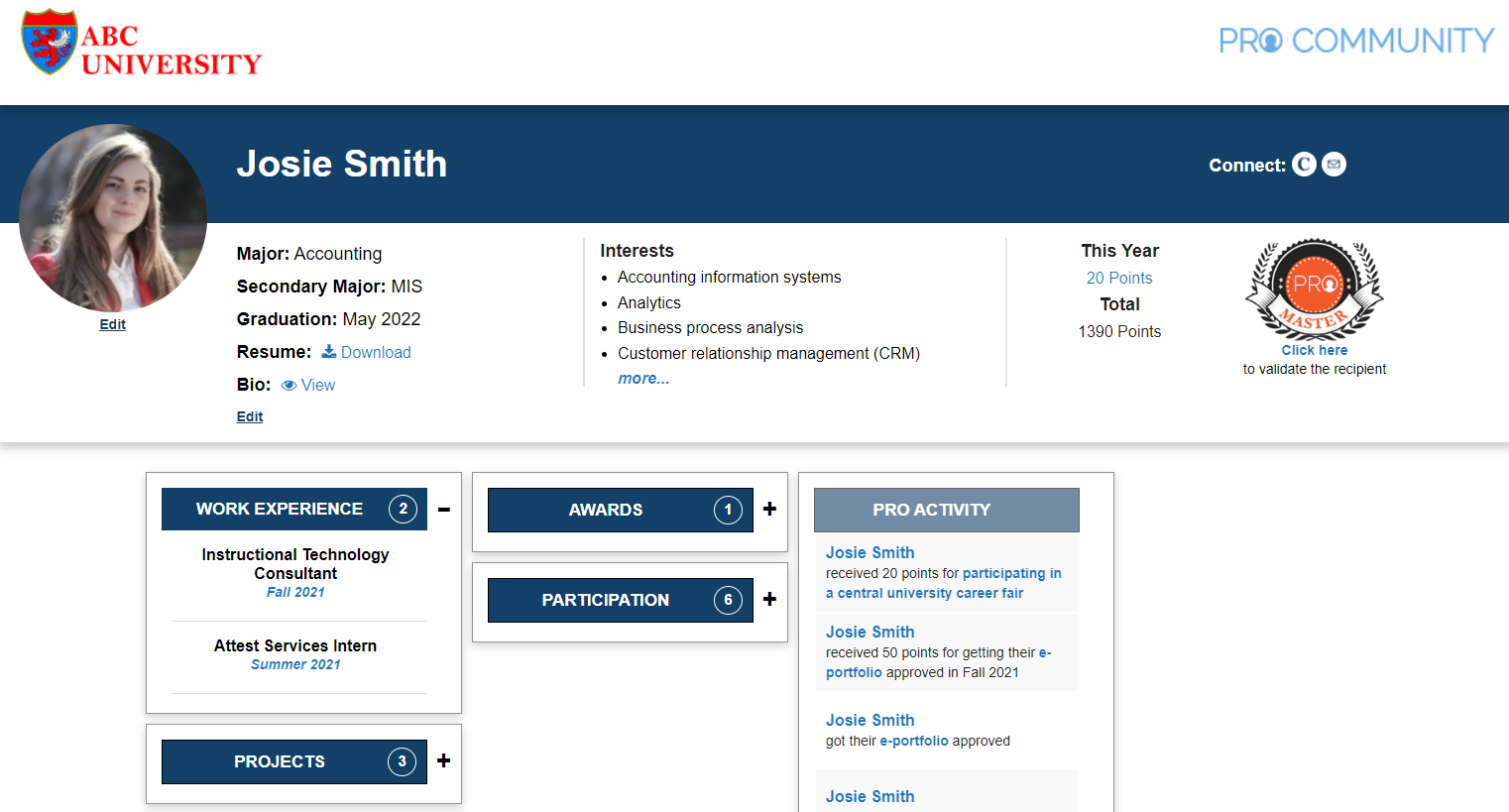
josie portfolio


Portfolio – 50 PRO points

Requirements

  1. Appropriate site title based on your name, professional picture on the page and portfolio linked to your profile.
  2. Update the following PRO platform profile fields: major, affiliation, skills and interests, and graduation date.
  3. Update the field in the profile with the URL for your resume (in PDF format) (Note: Consider removing the home address from the public resume).

Evaluation criteria

  • Complete ALL the above requirements. There is no partial credit.
  • If one of the requirements above is missing or incomplete, the portfolio will be rejected.

How to receive points

  1. Log-in to PRO, on the top left hover on [Your name], portfolio, Dashboard, click Manage Points.
  2. Click Add New near the top. Select Portfolio.
  3. Review the PRO Community platform profile fields and update as needed.
  4. Scroll to the bottom of the screen. Make sure the URL of the new portfolio is selected.
  5. Click Submit.
  6. Once submitted, the portfolio is reviewed. The review process takes 2-5 business days.
  7. You will receive approval or rejection notification on email. To check status online, navigate to the Dashboard and click Manage Points.
  8. Approved portfolios will automatically receive 50 PRO points.
  9. To resubmit a rejected portfolio:
    • Review the feedback. Navigate to Manage Points and click on Comments under Portfolio.
    • Make improvements as needed.
    • Navigate to Manage Points and click Resubmit under Portfolio to restart the process.

Requirements e-portfolio

Primary Sidebar

Community Activity

Profile Photo
sean.bowling@colorado.edu
received 50 points for getting their portfolio approved in Fall 2025
Profile Photo
sean.bowling@colorado.edu
profile was updated
Profile Photo
sean.bowling@colorado.edu
submitted their portfolio for approval
Profile Photo
sean.bowling@colorado.edu
created the site Sean Bowling
Profile Photo
Jaxon Riley - Combs
created the site Jaxon Riley Combs
1 2 3 … 12 »

Copyright © 2025 · PRO Community Platform
U.S. Patent No. 11989679